Building an AI chat feature for doctors that isn't just a copy of ChatGPT
Designing Chat for Eluve

Team
Lia: Product Manager
Jesse: Engineering Lead
Bao: Engineer

Skills
UI/UX design
User research
How do you make a chat feature that isn't just another chatbot?
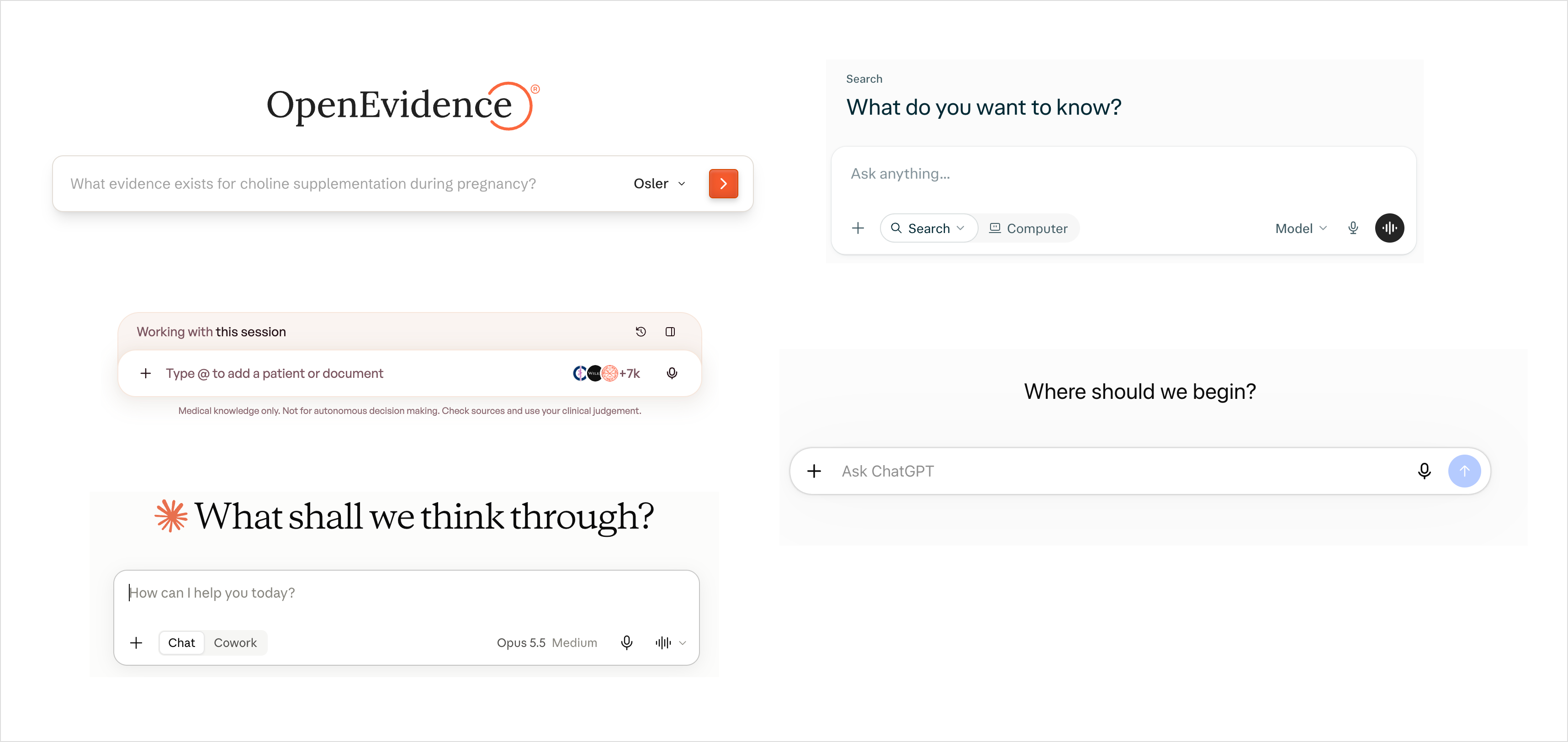
Everyone is shipping chat, and most of it is an empty text box that expects you to know what to ask. If we do only that, it's not any different from ChatGPT. How could Eluve's Chat solve a real clinical need instead?
It started with one customer. A hospital customer's Teleconsultations team runs 15–20 minute calls to walk patients through checkup results. Before each call, a doctor has to read a 20–30 page medical checkup report, and they don't have time for that. Their ask: upload the PDF to Chat so they can ask questions about it.
Version 1
A simple, engineering-driven MVP
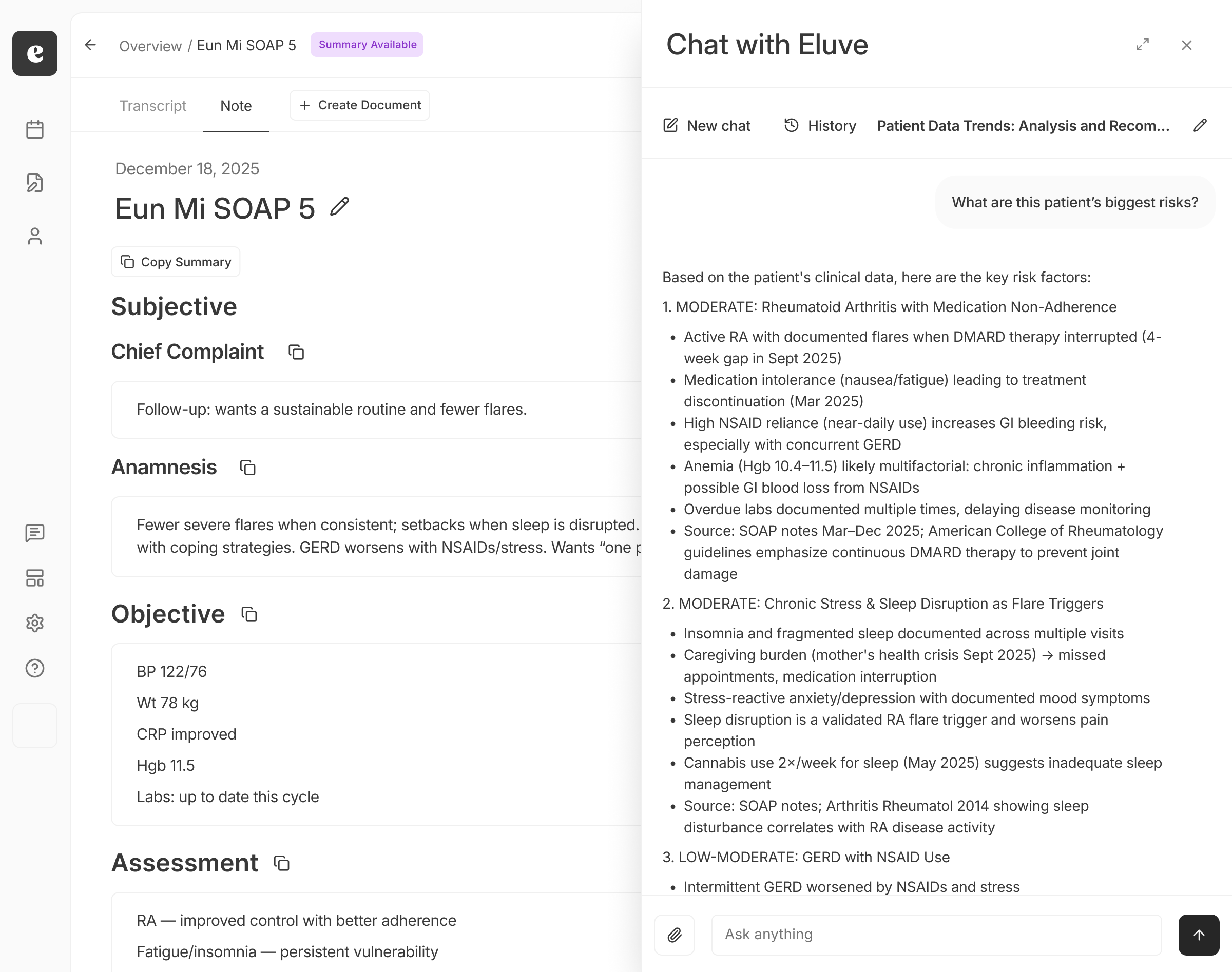
Engineering started with a fast MVP: upload a PDF, ask questions, and get streamed answers with citations. A Chat window opens in a side panel:
We rolled out to five teleconsultation doctors behind a feature flag in August. By January, most of the clinicians with access had stopped using it. It was easier to use ChatGPT than stop to open Eluve.
Adoption wasn't great, but we believed Chat had real potential, so I set about improving it.
Version 2
Making Chat a better experience
In theory, Chat can do almost anything, which is what makes it hard to design. So I looked into more specific use cases and brainstormed with the team on what users might use Chat for.
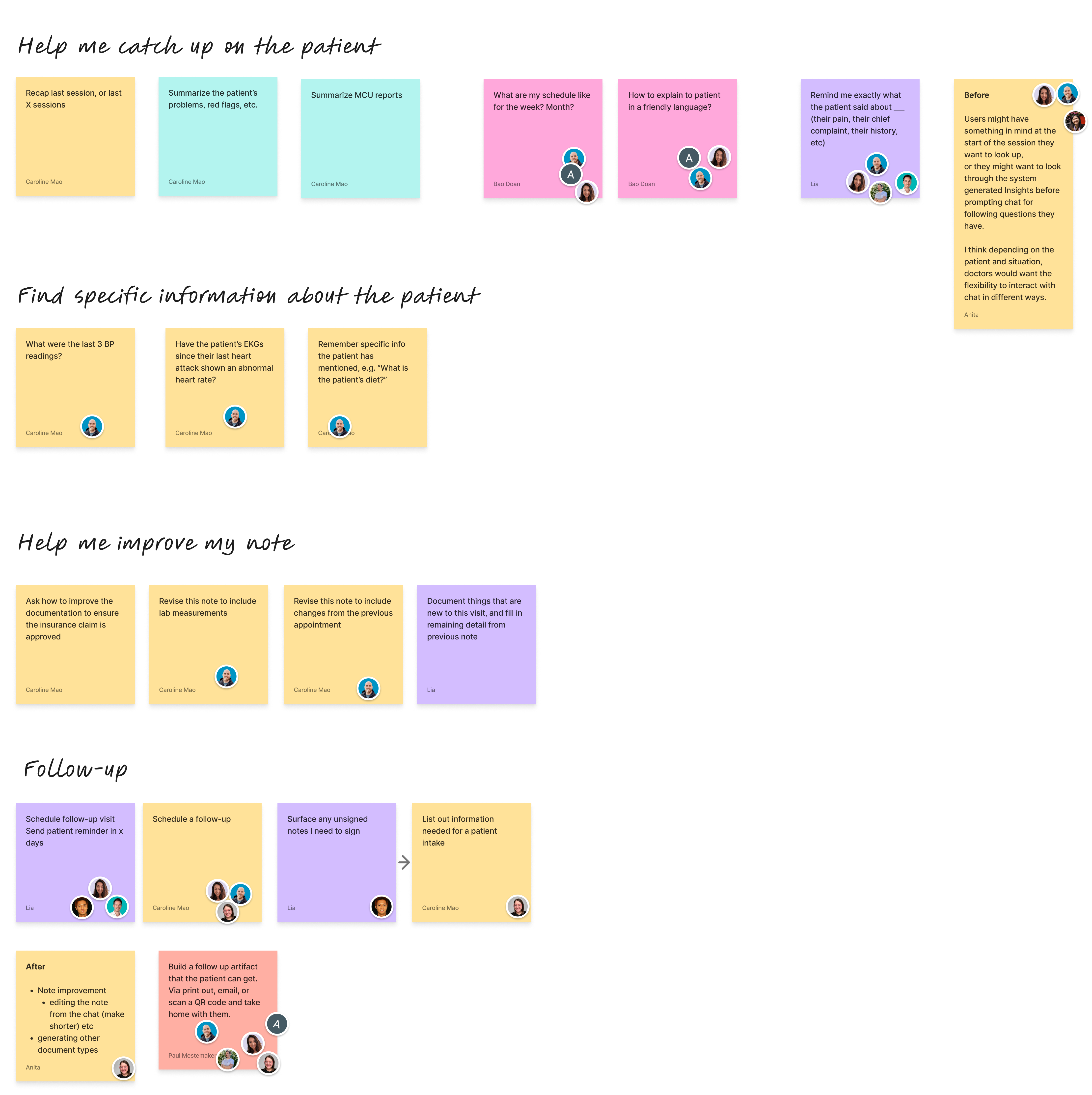
The use cases we brainstormed on FigJam had a few broad categories:
- Help me catch up on the patient ("Summarize the last 3 appointments")
- Help me find specific information about the patient ("What was their last blood pressure measurement?")
- Help me improve my note ("Revise my note to include lab measurements")
- Follow-up tasks ("Schedule a follow-up appointment")
I discussed with our users which ones they thought they'd use Chat for. Categories #1 and #2 became the focus of v2, as #3 and #4 would've required building out a lot more tools and users didn't express much interest in those.
Focusing on conversation starters
Most users didn't have time to write detailed prompts from scratch explaining what they wanted. So for v2, I focused on improving the UX around conversation starters: pre-defined prompts they could choose at the beginning of a Chat thread.
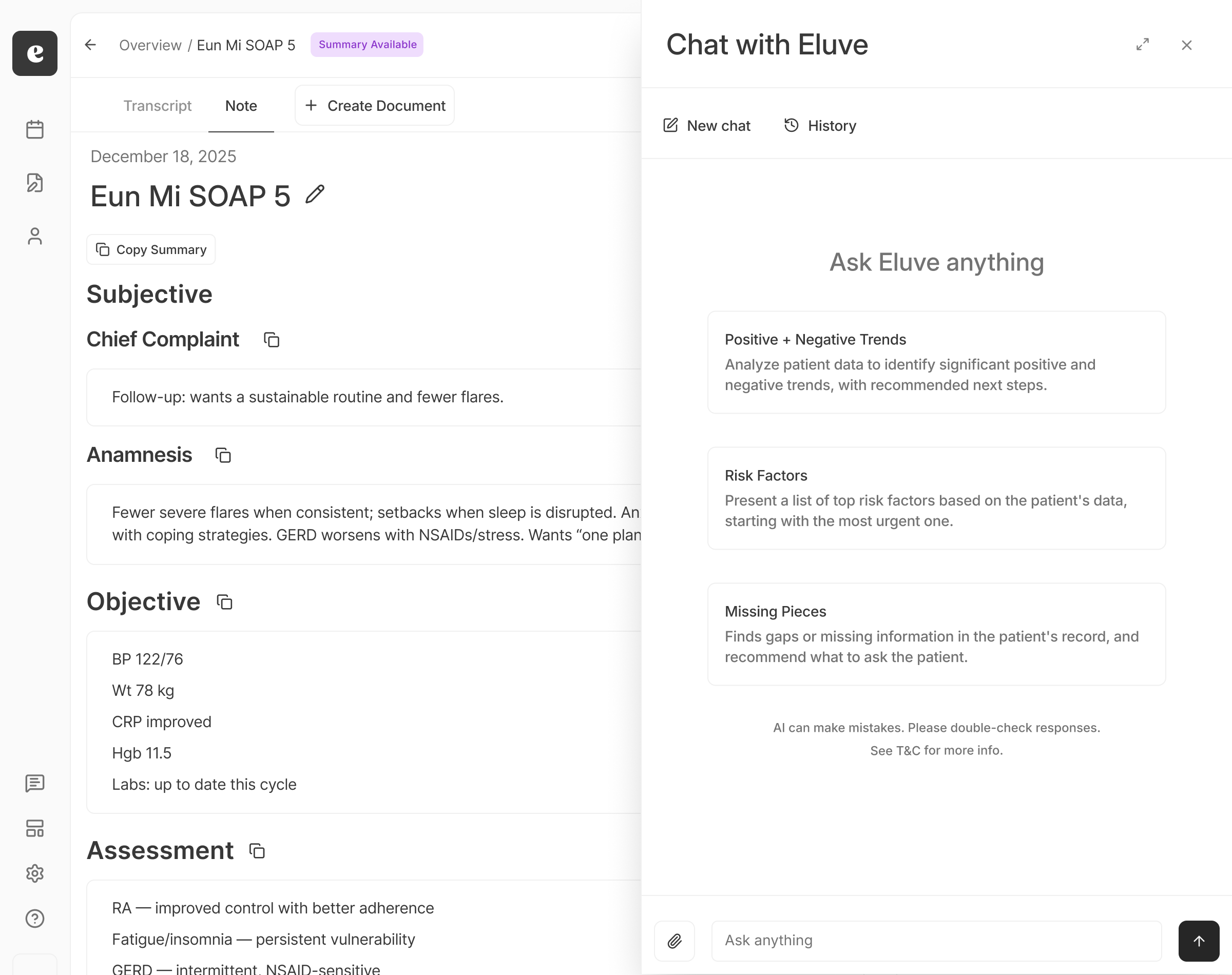
In my analysis of the ~473 messages users had already sent to Chat, about half were requests to recap previous appointments, usually started from a default conversation starter. One power user said the three we offered were too few, and wanted space for 20+ starters.
Some smaller UI improvements
I also redesigned the Chat panel itself:
- Previously, the Chat panel defaulted to the history of threads, but most users wanted to just start a new conversation, not look at past ones. Now it landed on a new chat thread.
- Structured document generation, with a quick copy button. Previously, users would just copy the LLM's raw text if they asked it to generate any documents.
- Cleaner formatting and padding for the data tables.
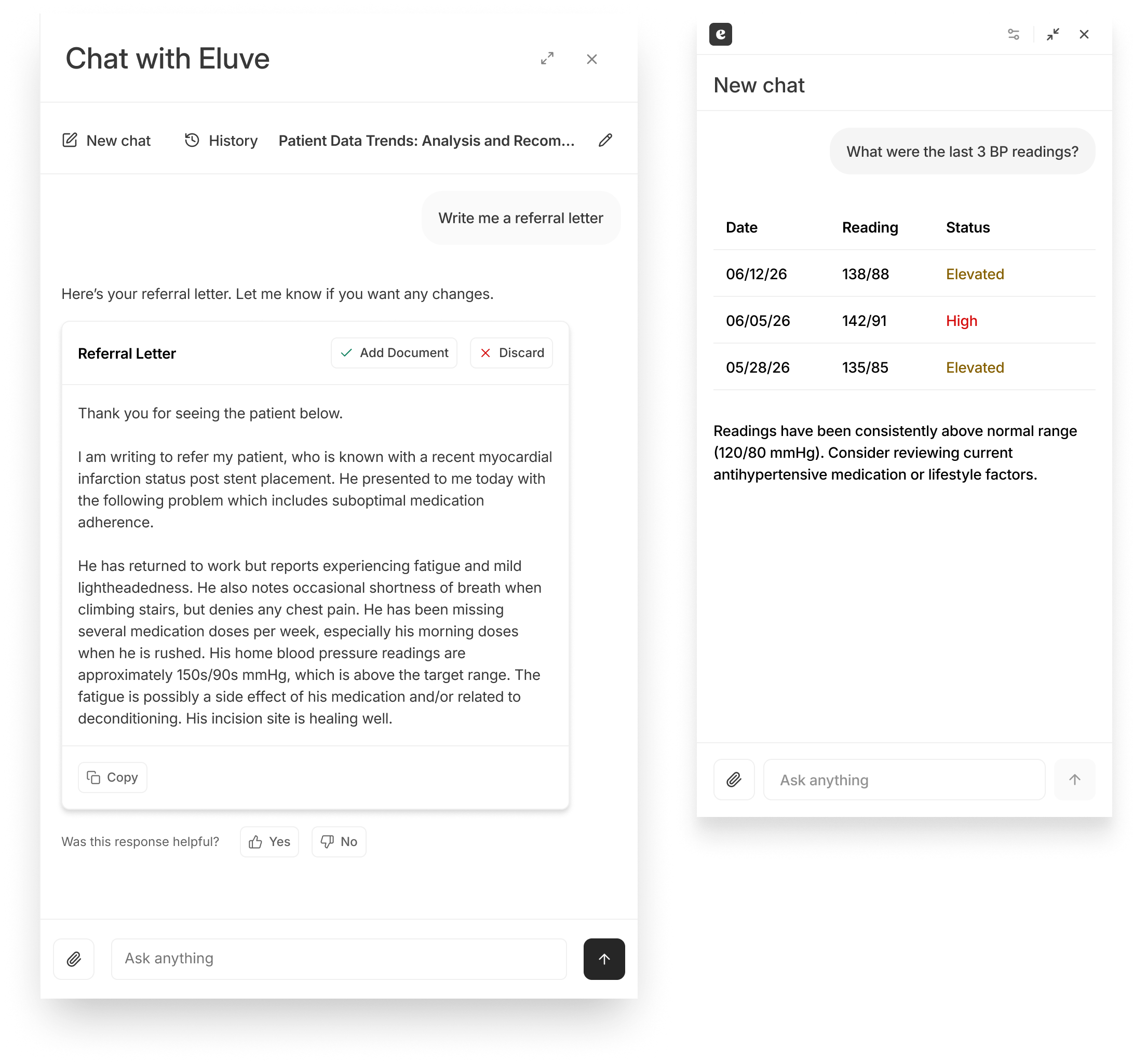
After these improvements, we rolled out to a larger beta cohort. Users said it saved them real time, with one estimating it saved them "at least an hour a day." Conversation starters drove 71% of first messages.
Version 3
Making Chat discoverable
People who used Chat loved it, but most beta users never tried it. An in-app banner to remind them didn't help.
So we surveyed our beta cohort in PostHog. Of 19 respondents, 9 (47%) had forgotten they had access or didn't know what it was, and 6 more "couldn't think of what to ask."
The problem wasn't Chat wasn't useful. But its entry point was so small that it was easy to forget it was there:
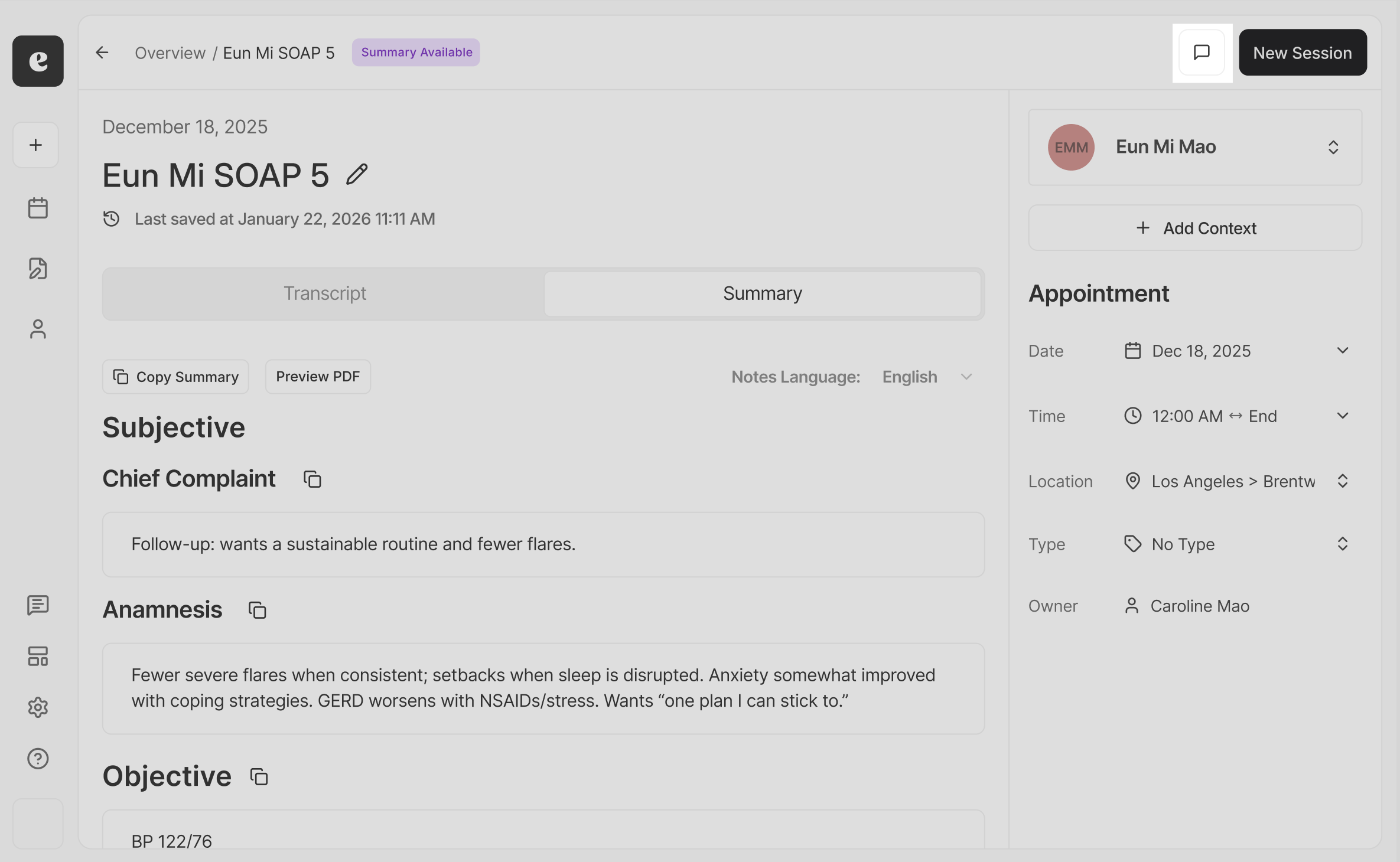
I came up with two more discoverable options: 1) a bottom-right-corner button, floating over the app, or 2) a centered input bar:
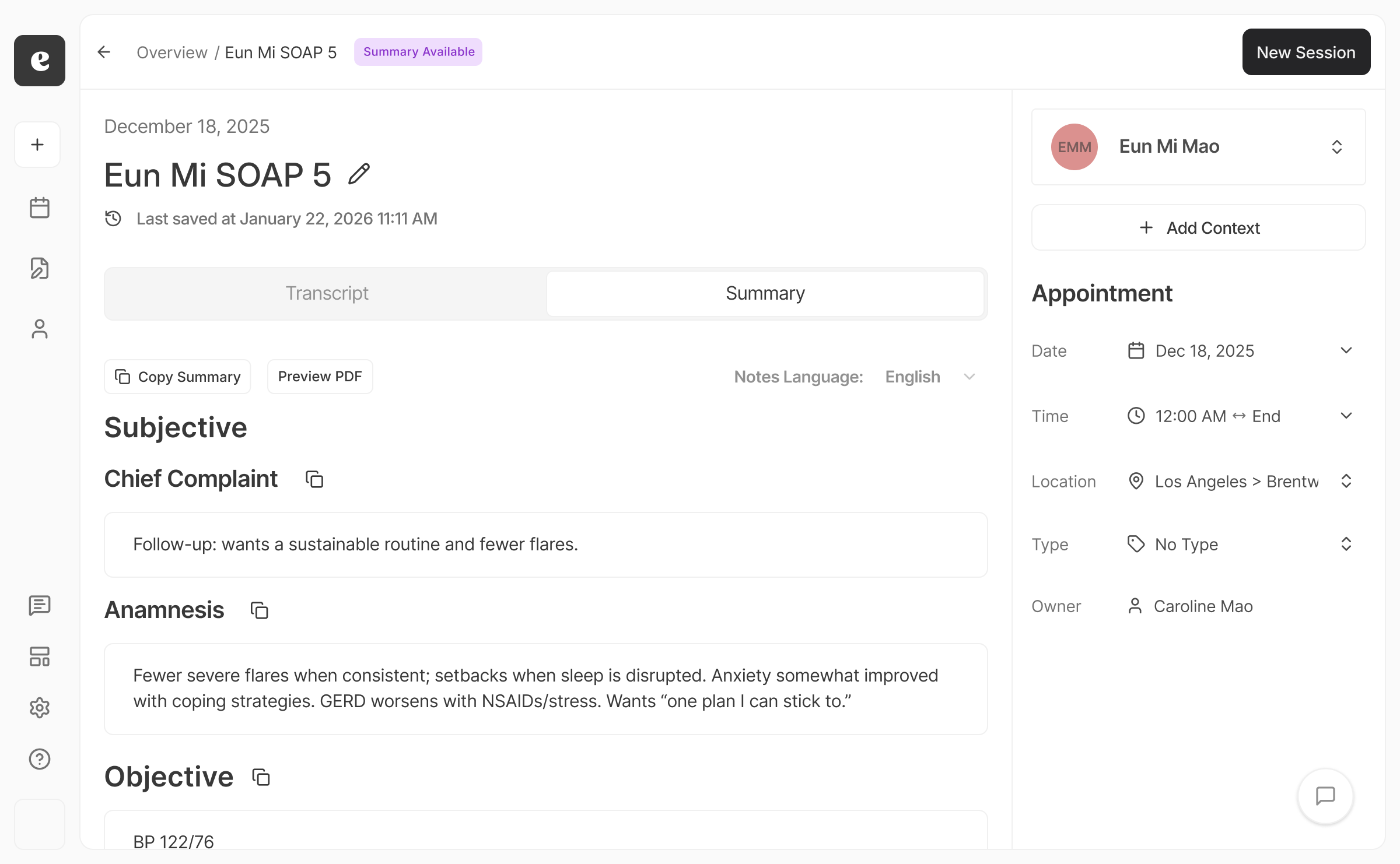
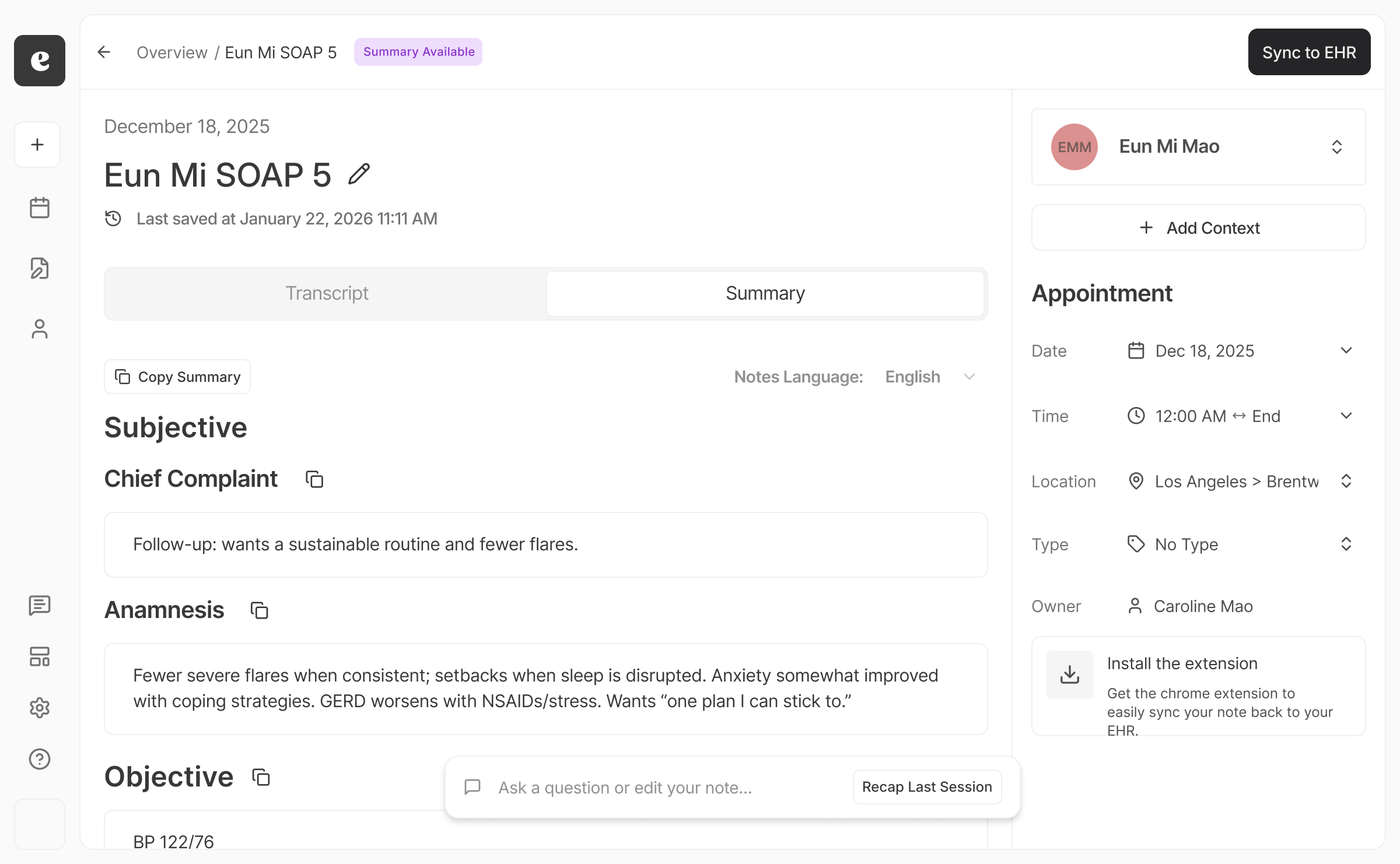
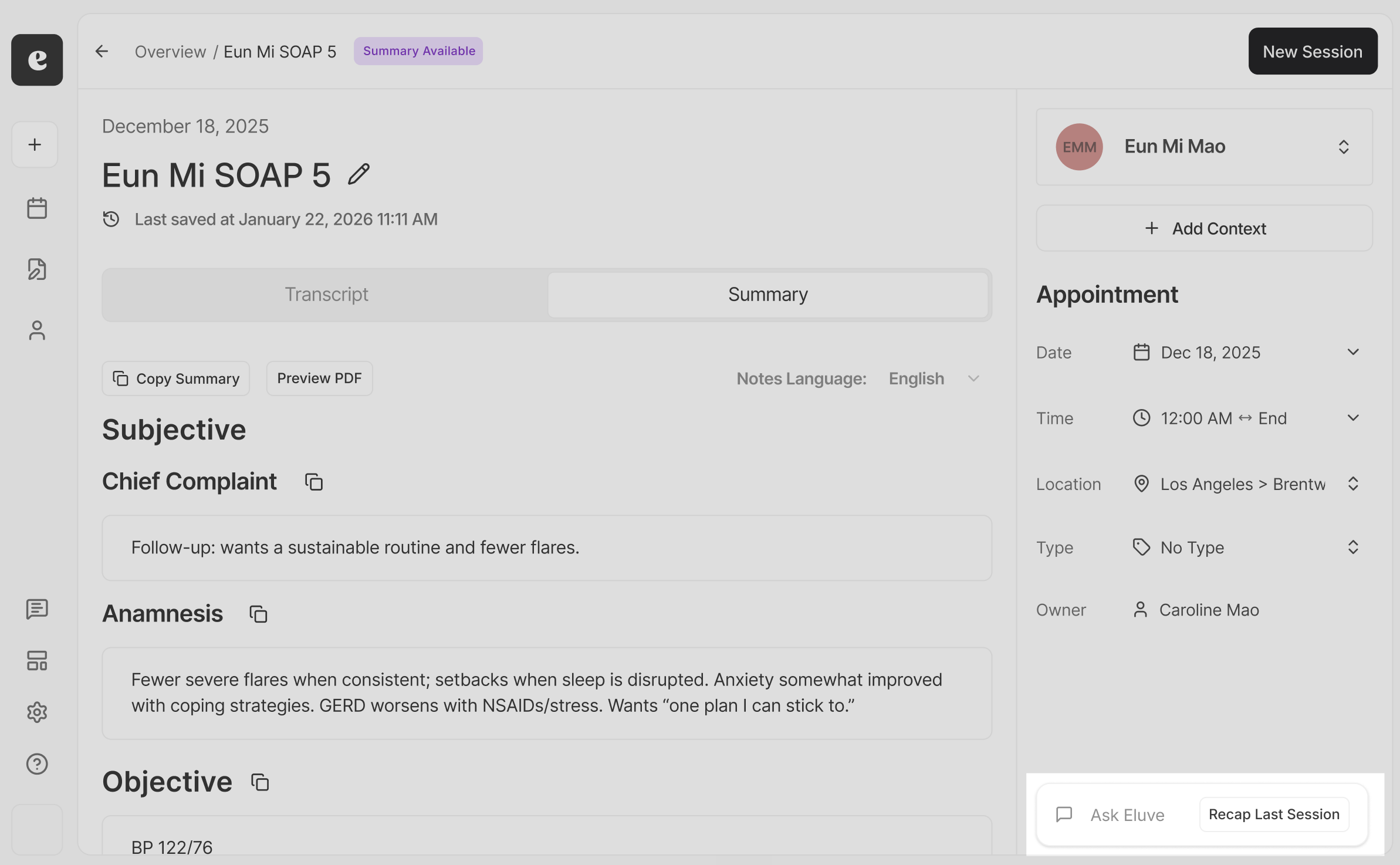
My PM and I aligned on a compromise between the two. The corner button was too subtle, but the center pill blocked some of the note. I shipped a design that positioned it as an input field in the corner, with a session recap conversation starter one click away:
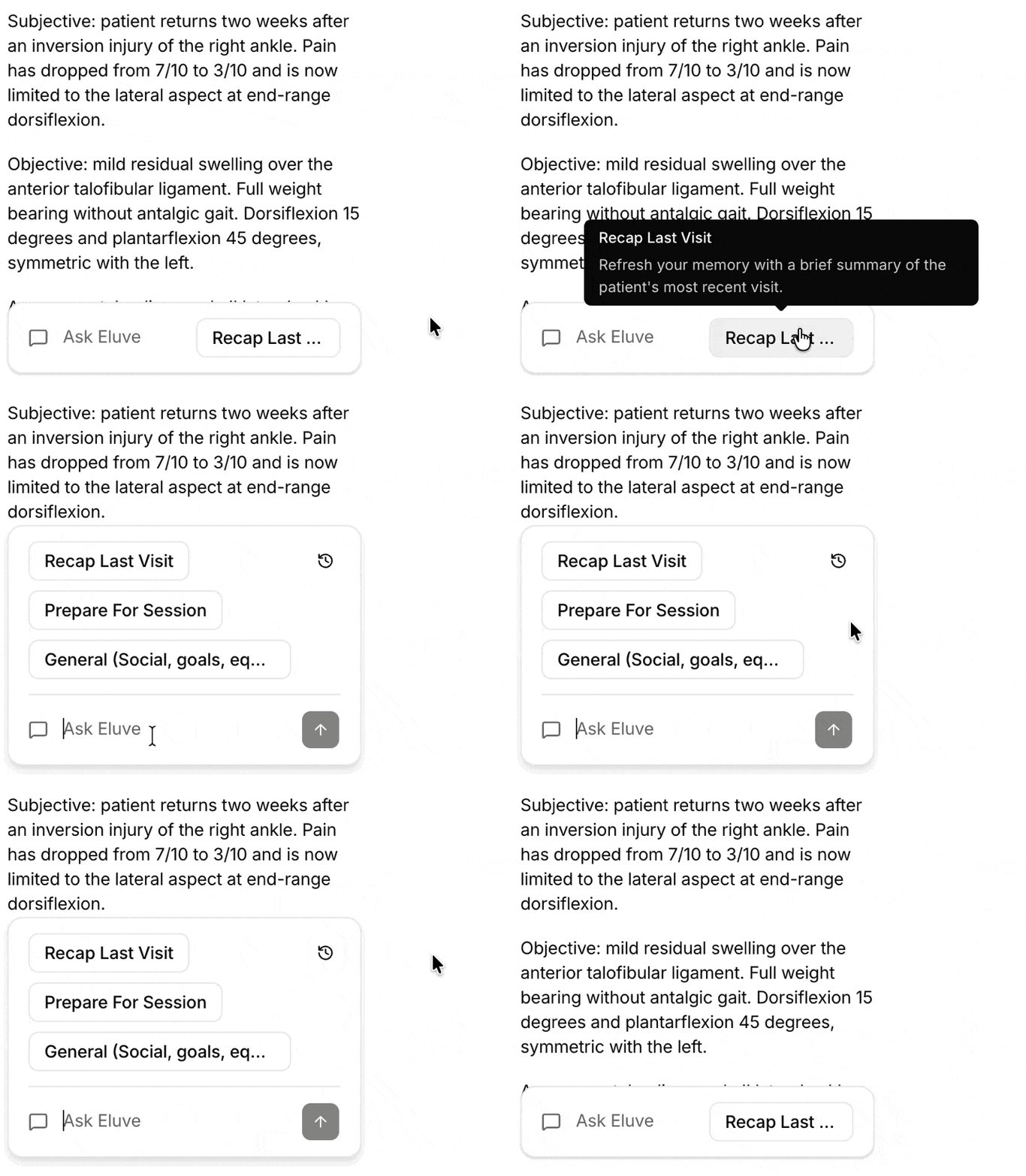
I also refined the microinteractions, showing more conversation starters when the user clicked into the input field so they could quickly access them:
Some stats
Users were finding Chat
In the eight weeks after launch, compared with the eight before:
- Weekly chat users grew from 26 to 41
- 79% of first messages came through the new entry pill
- 22 people tried Chat for the first time, 19 who had been using Eluve for months without even opening Chat
Learnings
- AI chatbots may be an intuitive concept, but people don't always know what to ask for. Predefined conversation starters were a huge help in encouraging people to explore Chat.
- Discoverability is key. Some users naturally reach for Chat spontaneously, but others don't think about it.
- Expand AI functionality incrementally instead of trying to do everything at once. We considered building out functionality like letting Chat schedule appointments or do other admin, but we would've needed to compete with our users' existing scheduling software without having the same level of data access. As an AI scribe, we had access to the patient's appointment notes, so we prioritized use cases related to the note content.

 Password Protected
I've password-protected this case study to maintain confidentiality. If you'd like to continue reading it, please enter the password (which can be found on my resume) or contact me!