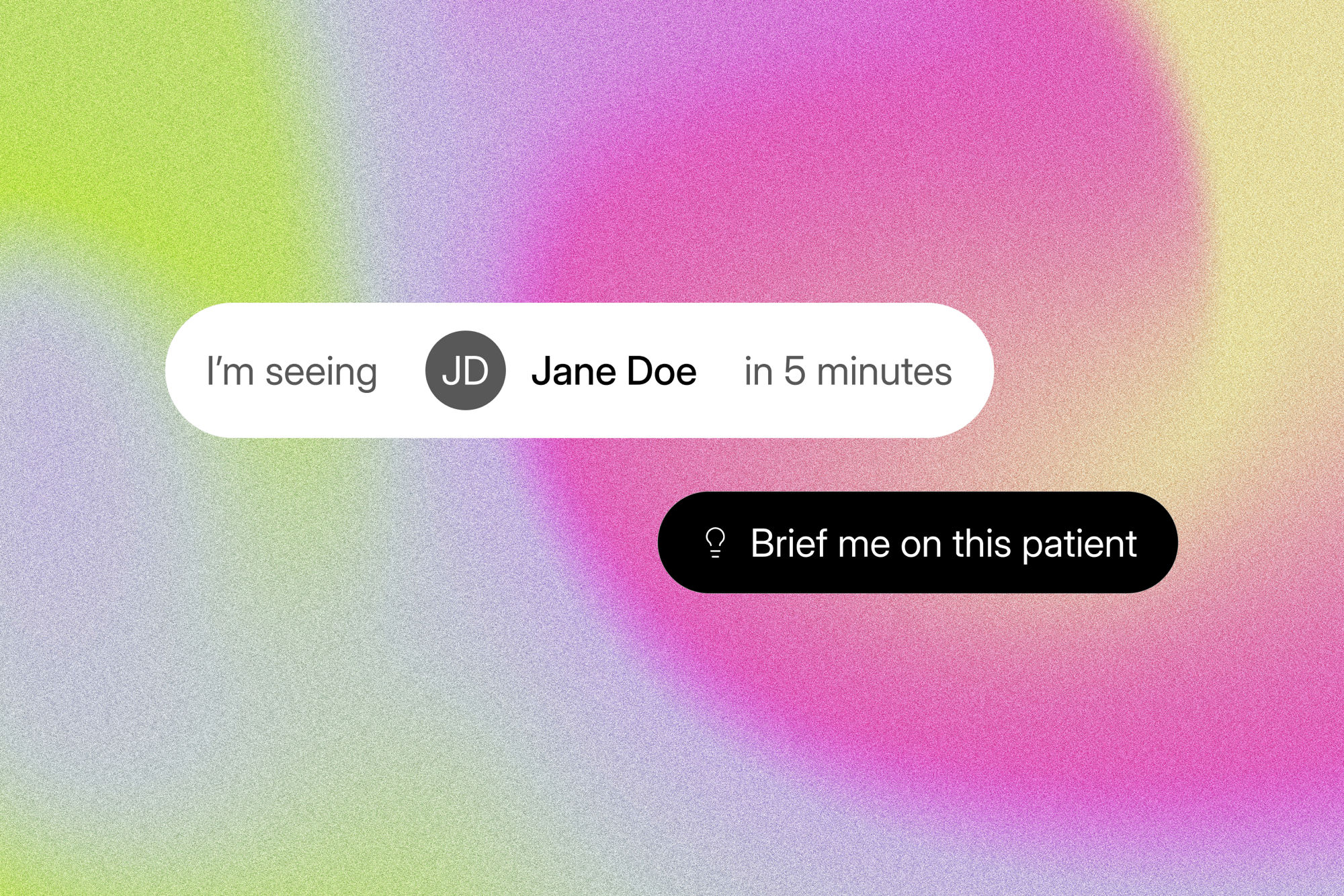
Helping doctors get up to speed before every appointment
Designing Pre-Visit Insights for Eluve

Team
Sol: Product Manager
Sargis: Engineering Lead
Chris: Engineer

Skills
UI/UX design
User research
Clinical workflow research
Problem
Doctors are often in back-to-back appointments, which gives them little time to catch up on a patient's history before seeing them. And that history is hard to find when EHRs look like this:
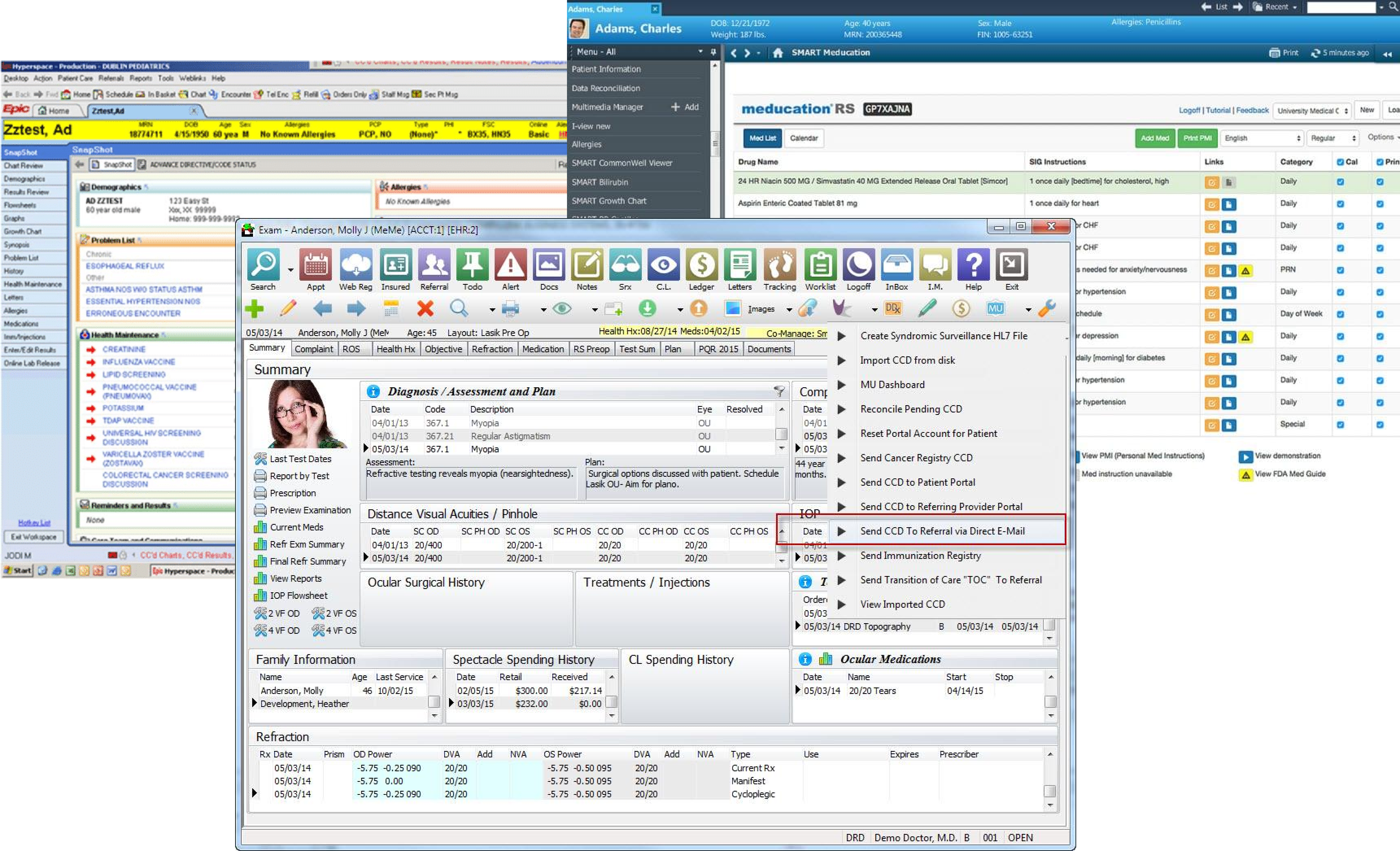
As an AI medical scribe, Eluve has the right timing (doctors open our extension right before an appointment) and some of the right data (the patient's past notes).
How can we help doctors get up to speed on a patient before an appointment?
Considerations
What kind of information does a doctor want to know before an appointment?
They don't have time for every single detail. What they want to know could depend on the doctor's specialty, the complexity of the patient's history, and other factors.
How can we build a trustworthy experience?
Many doctors are wary of AI. A hallucinated fact could result in the wrong medication prescribed or a key allergy missed.
How can we balance insights without distracting users from the scribe?
It's important users are aware of the scribe's recording status at all times—users often complain they forgot to start or stop the recording.
Exploring solutions
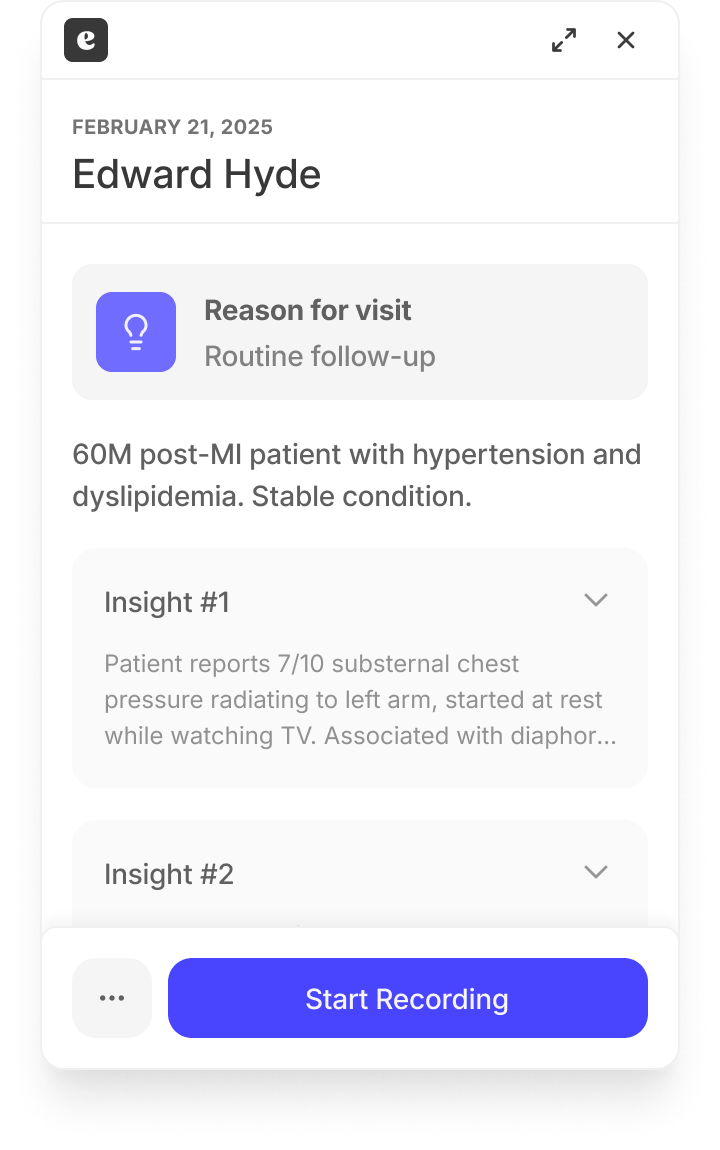
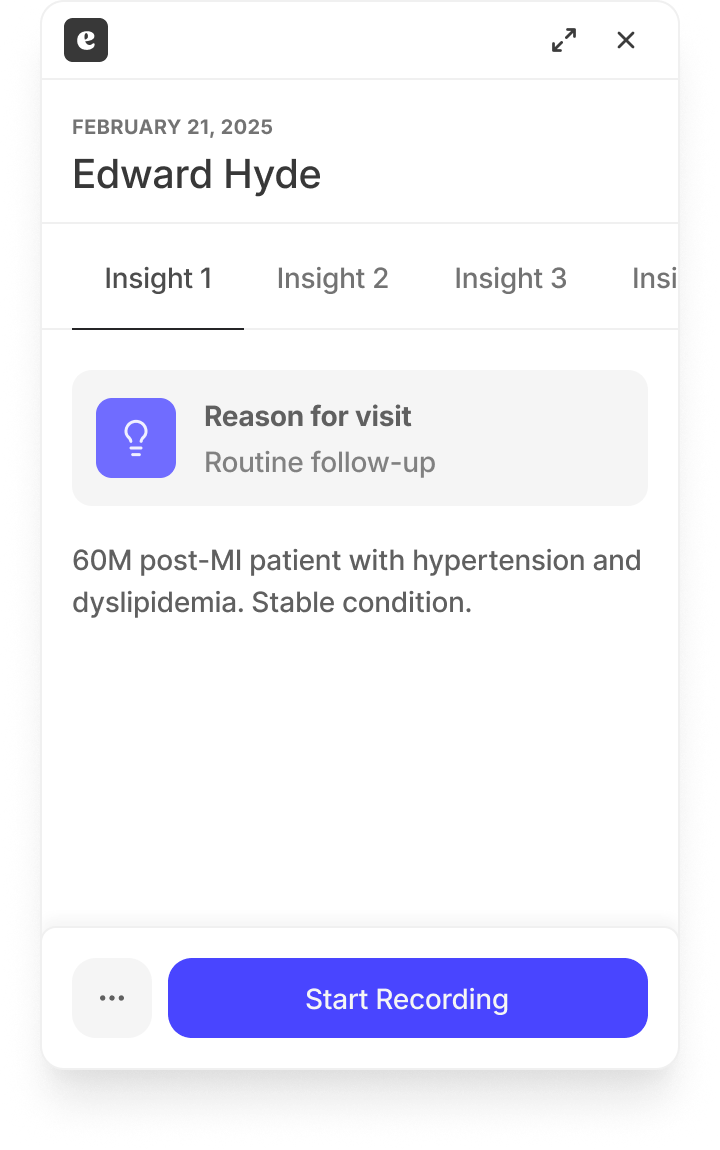
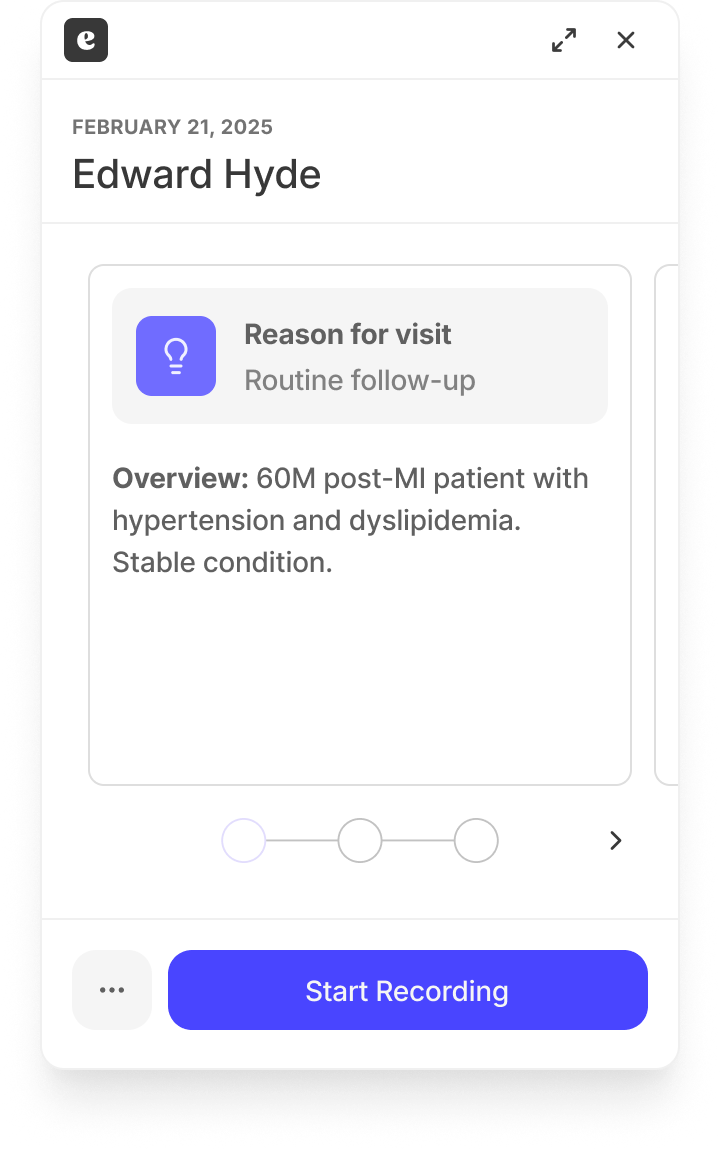
A few layout explorations
I explored 10+ layouts for Insights. Here's just a few:
Organizing the content
But just a layout doesn't mean much with real content. In the age of AI, you can prompt the LLM to organize content in pretty much any format and length you want.
I researched a few clinical frameworks doctors use to organize their notes to better understand their mental models around clinical information.
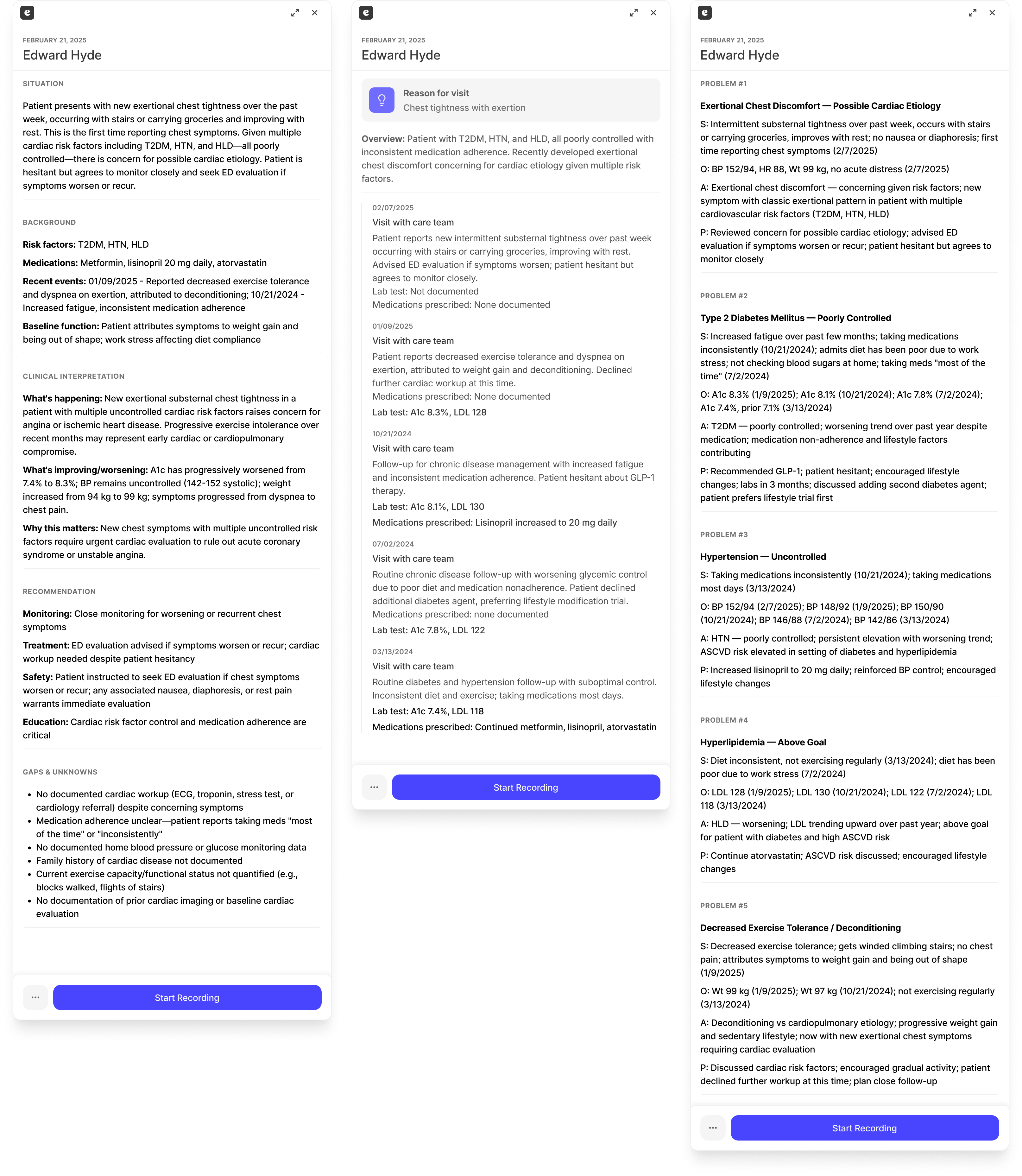
- Situation, Background, Clinical Interpretation, Recommendation, Gaps & Unknowns: a common framework nurses use to present patient information to doctors
- Chronological: a timeline of the patient's care
- Problem-Oriented Medical Record: the patient's history, organized by problem
Designing citations for trust
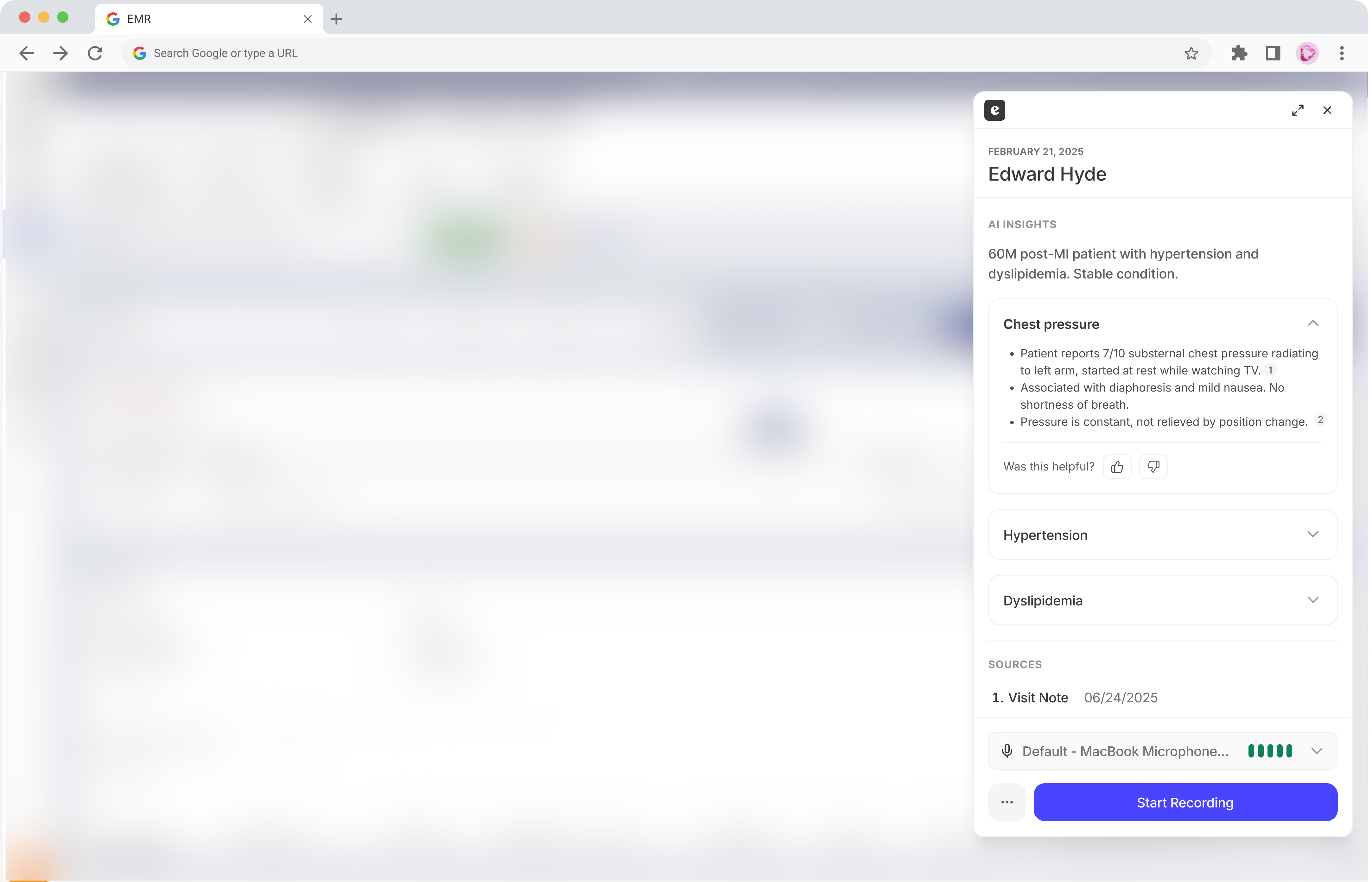
Doctors won't trust AI-generated insights without knowing where they come from. So I designed inline citations to let users quickly hover to see the note it came from and click to view the full note.
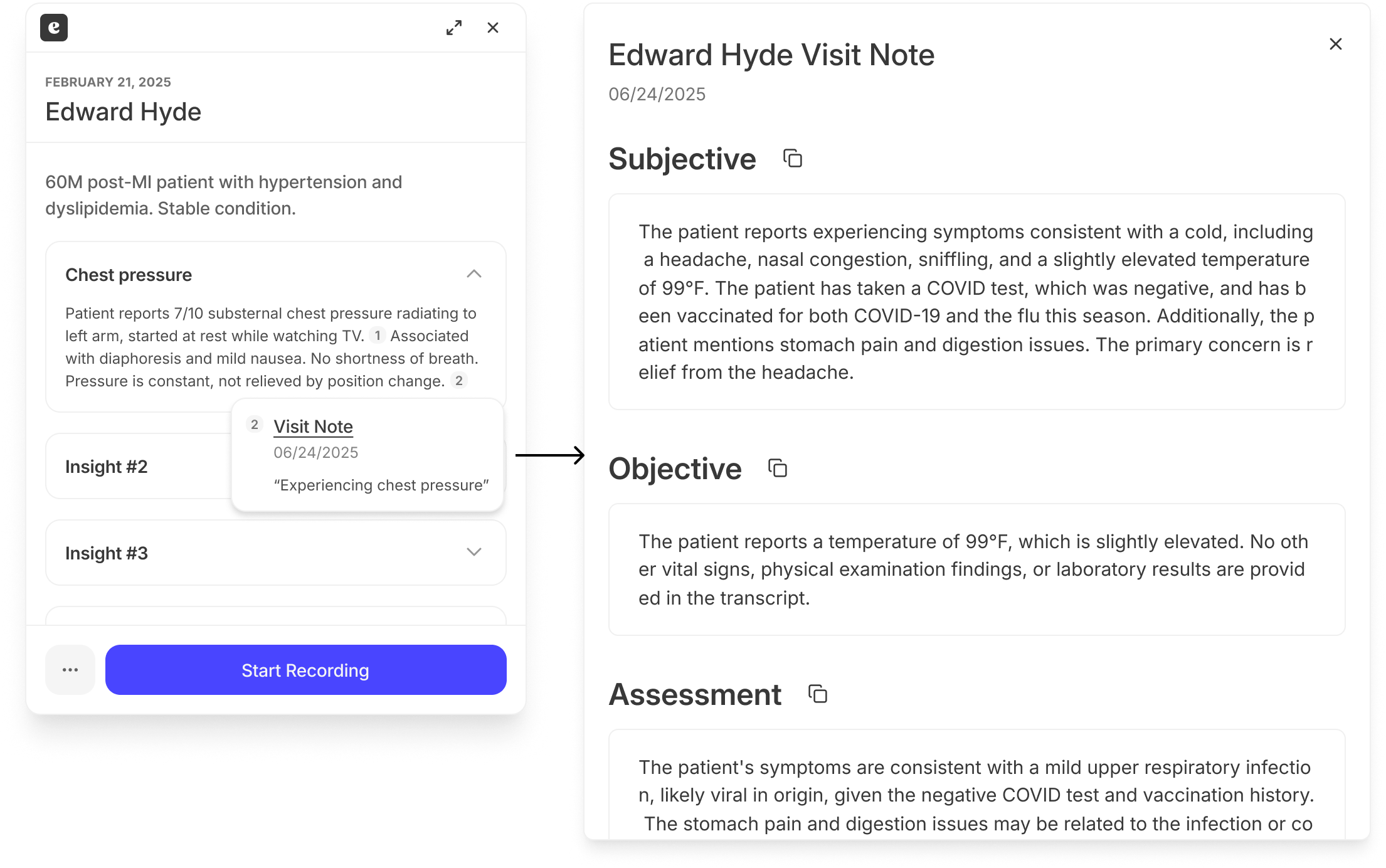
While I wanted to link to the page with the note, our customer's EMR wasn't set up in a way to technically allow deep links. So I compromised on a dialog.
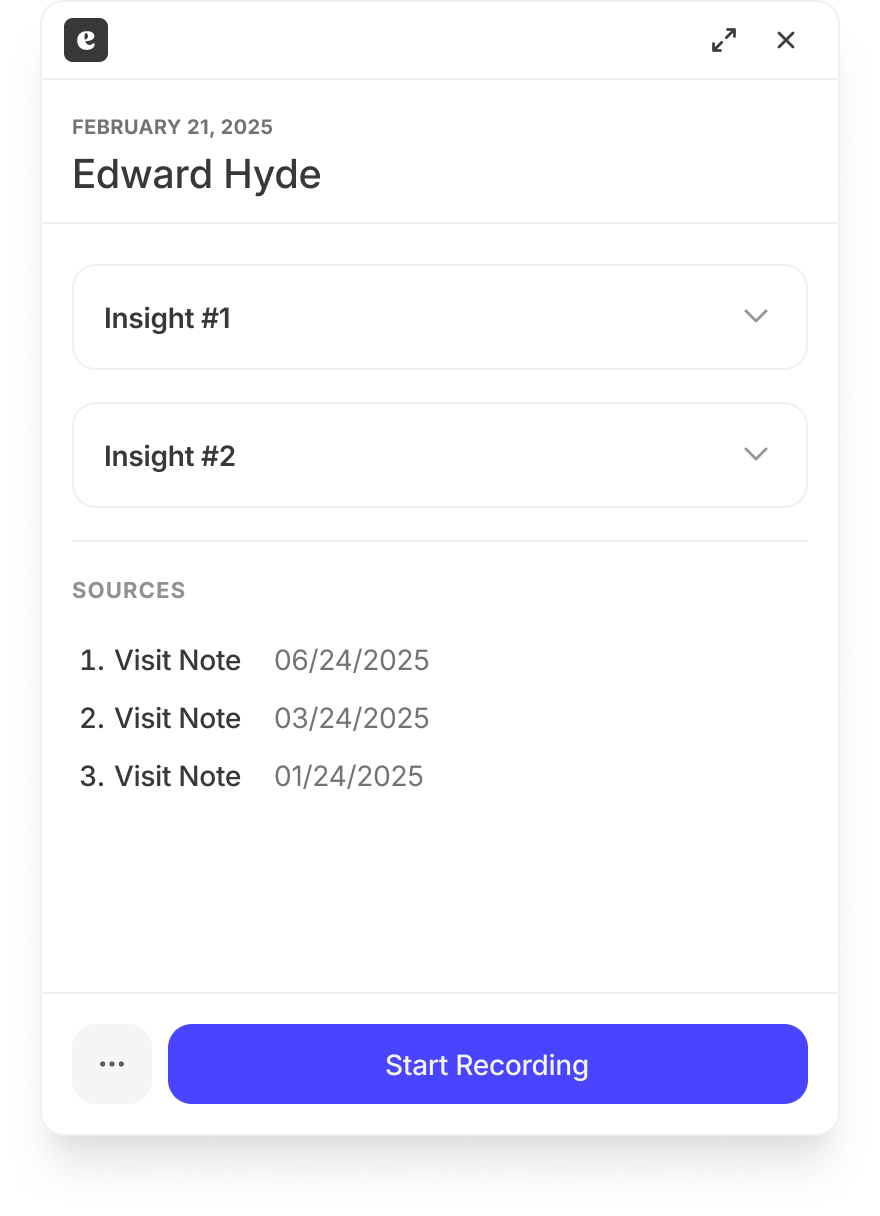
We also provided a list of sources at the end. A surprising bonus was that users liked this because it let them quickly access past notes without clicking around their EMR, whose own UI was too complicated to easily find the notes.
Getting feedback
A GP, Elizabeth, was helping lead Eluve adoption at her hospital. Her feedback:
- Show concrete measurements and facts, let the doctors do the interpretation. Don't show "patient may have diabetes," just show the raised blood sugar measurements.
- Concision is key. Doctors don't have time to read paragraphs of text.
- Doctors will prioritize different information depending on their specialty: gestational age for OB-GYN, blood thinners for neurosurgery.
Based on this, we agreed on rolling out an MVP with Insights organized in click-to-expand sections, one major problem per section. Details of each problem were provided in a few concise bullet points.
Some roadbumps
Problems we ran into
- Slow load times. After launching to an alpha cohort of 5 doctors, engagement was low: doctors started the appointment before insights finished generating. Engineers optimized so that insights for every appointment that day start generating when the doctor signs into the EMR in the morning, so there's no visible load time.
- Data access limits. Our customer didn't want to give us access to more data in their in-house EMR besides the patient's last 5 notes. No labs, no medications. Despite this, doctors were pretty happy with Insights since they write the most important information in their notes.
- And finally, how do we show the right Insights when different users want to see different content?
The question of customization
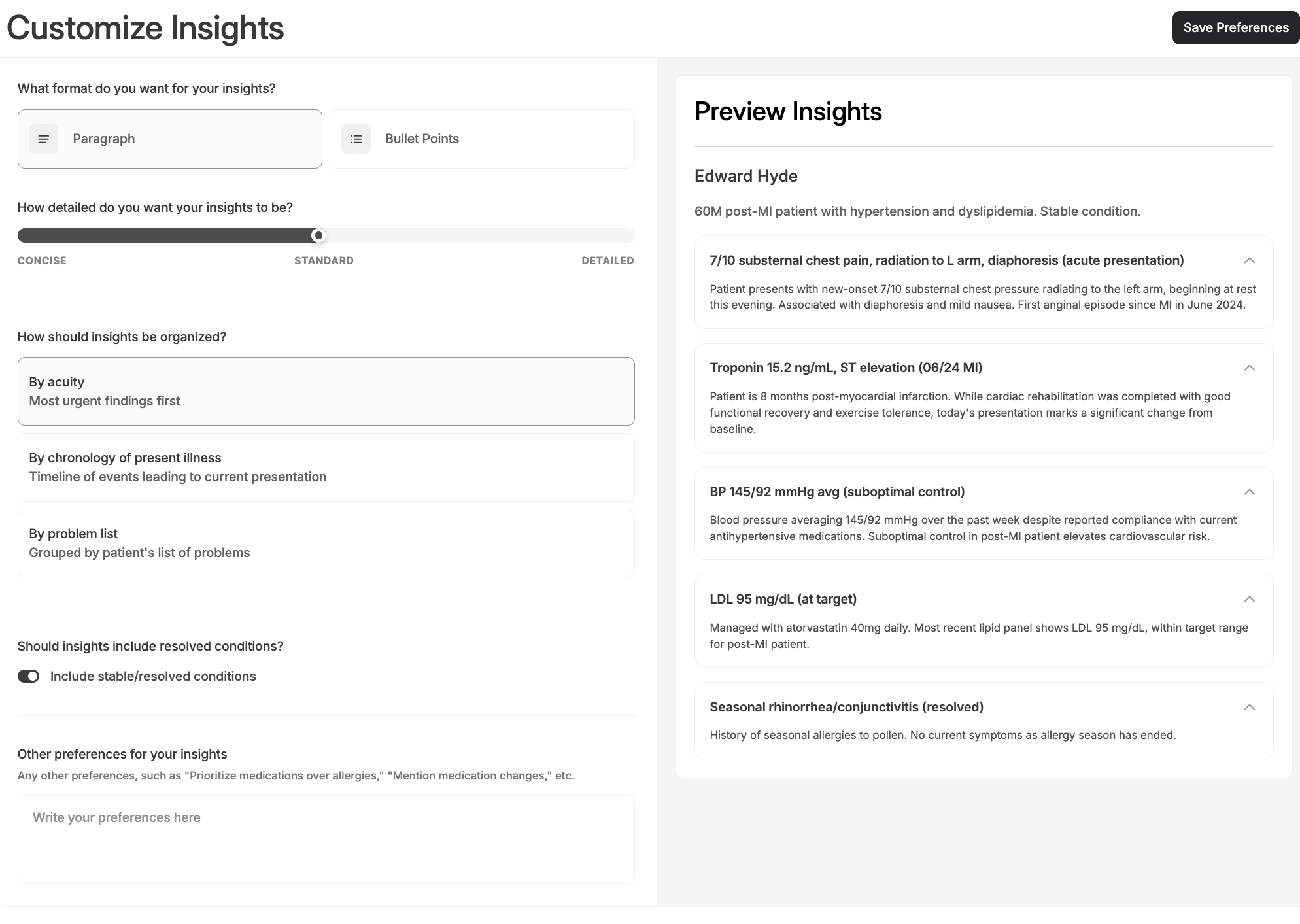
Trying to get users to customize Eluve's AI outputs had a poor track record. Doctors don't have the technical know-how or the patience for complex custom configurations. One long, editable prompt is overwhelming, but so is lots of dropdowns and multiple-choice questions.
I explored options ranging from a customizable prompt on each insight to one global panel. The team landed on a customizer with a preview, a few structured options like the level of detail, and a free text box for the wide range of other preferences users might have.
How adoption went
We categorized a user's level of engagement with Insights based on 1) how much time between first opening Insights to 2) they start recording the appointment, which navigates them away from Insights, as well as how much they clicked on each click-to-expand section.
- We first rolled out to a small alpha cohort: 5 users to start, then 14 doctors across 5+ specialties a few weeks later.
- Pre-generation fixed the wait. Before it shipped, 24% of views ended before insights loaded, and only 16% were thorough reads. After we pre-generated Insights before the user opened the appointment, "didn't wait" fell below 9% and "thorough reads" rose to 50%.
- Usage grew: daily active users rose from about 2 in February to about 10 by September (peak of 14), across about 16,900 views.
- Though it's a small amount by user count, these doctors are hospital doctors who see a lot of patients each day. Users have seen Insights for over 16,000 appointments (saving time on pre-visit prep), and about half are read thoroughly.
- + a successful alpha provides reason to expand and roll out Insights to more customers in the future :)

 Password Protected
I've password-protected this case study to maintain confidentiality. If you'd like to continue reading it, please enter the password (which can be found on my resume) or contact me!